Fix 01 · Home
The main actions moved above the fold.
2 of 5 testers couldn’t find where to vote or create an event: the buttons sat small inside an “eco week” banner. They now lead the home card.

A mobile app that turns a company's ESG strategy into everyday initiatives office employees want to join.
Singu’s problem: plenty of people in office buildings say they care about sustainability, yet corporate ESG initiatives rarely change what they do day to day.
Flora is a mobile app where employees propose pro-environmental and pro-social activities at work, join them and get recognised for taking part. I worked on it in a two-person team and led the research and the UI design.
Partner
 singu.com ↗
Singu makes an AI-powered platform for facility and property teams. They use it to run buildings, automate maintenance and analyse data across commercial real estate portfolios.
We worked with Singu for a full academic year (2025/2026) as part of the User Experience & Product Design programme at AGH University of Kraków, where each student team designs a product for a real business partner.
That was Singu’s brief. In our first conversations, their team pointed out that employees often respond better to pro-social appeals than to purely ecological ones, so we researched both. We also had to cover two groups: employees, most of whom don’t think in terms of “ESG”, and the facility and ESG managers who have to report on it. We wanted to find out why initiatives stall somewhere between the people who plan them and the people asked to join.
We looked at the problem from four angles: people, the organisation, ESG data and the physical environment. Alongside the fieldwork we read up on EU ESG legislation, industry reports and academic studies on pro-environmental behaviour.
in-depth interviews with employees and ESG professionals
didn't recognise the term "ESG", yet 63% rated their own environmental awareness as high
named lack of time during the workday as their top obstacle
favoured charity-style initiatives over purely ecological ones
Awareness and self-perception don’t line up.
55% didn’t recognise the term “ESG,” while 63% rated their own environmental awareness highly.
Time is the main barrier.
42% named lack of time as their biggest obstacle. For 33%, a paid volunteering day would be the most effective incentive.
“Performative” initiatives backfire.
Employees quickly spot CSR that is really PR: one-off “eco days” with no follow-up, or global directives that mean nothing locally. What made people join, they told us again and again, was an initiative that felt genuine, had managers taking part and made a visible difference nearby.
Social pulls harder than ecological.
25% of employees preferred charity-style initiatives and only 9% purely ecological ones. That is why Flora grew beyond the ecology-only brief.
The market is fragmented.
Most competitors do one thing well, be it sport gamification, habit tracking or ESG reporting. Few link everyday participation to the Scope 3 data ESG managers have to report.
From the interviews we built 3 personas: an employee who joins in for team bonding, one who wants her values reflected at work, and one openly sceptical of corporate “greenwashing”. Two proto-personas covered an internal sustainability ambassador and an ESG manager answering to several stakeholders. A Value Proposition Canvas matched each group’s pains and gains to specific features, and two journey maps (one for employees, one for ESG managers) followed the path from noticing a problem to being recognised for doing something about it.
Motivation was rarely missing in the employee journey. What stopped people at each stage was friction, or hearing nothing back.
| Stage | What employees ask | Pain points | Opportunity |
|---|---|---|---|
| A need appears | Can I do something good at work? Does my company support social or environmental initiatives? | Not knowing where to start; feeling that one person’s impact is small | Show clearly how to get involved; build awareness |
| Looking for ways in | What’s available? Are there groups already doing this? | Information is scattered or out of date | One place for every initiative; better internal communication |
| Shaping an idea | Does my idea matter? Can I get funding? | Colleagues show little interest in other people’s ideas | A way to submit ideas and let others build on them |
| Planning | How do I make it happen? Who do I need? How much time will it take? | No time; formal hurdles inside the organisation | Ready-made templates and tools; visible support from the company |
| Taking part | Is it going to plan? Are others joining in? | Low engagement from others | Help with spreading the word |
| Recognition | Was it worth it? Did anyone notice? Is there a reward? | No recognition; no word on the results | Rewards and recognition; sharing the impact of each initiative |
We wrote 40 user stories for both audiences, sorted them on an Eisenhower matrix and cut them down to an 8-story MVP. Its employee stories became the design brief for the app: submitting and browsing initiatives, voting on proposals, signing up for events and requesting a company budget.
Before designing screens we mapped the whole interface and every path through it. Following Apple’s Human Interface Guidelines, we kept each path as linear as we could: one clear goal at a time and as few branches as possible, so nobody has to stop and wonder what the next tap will do.
“As an employee, I want to vote on upcoming initiatives, so I can support causes close to my own values.”
(Yes) Cast another vote, then return to Home · (No) Back arrow to Home
“As an employee, I want to add my own idea for an ecological, social or inclusive initiative.”
Creating an event is one of Flora’s core features, and it shouldn’t feel like paperwork. The form asks only for a name, date and time, and leaves out the sections people skip anyway.
(Yes) Tap “Create event”, then return to Home · (No) Back arrow to Home
Midway through, the project was renamed Flora and got a full UI pass. We then ran usability tests with 5 participants aged 23 to 40. The feedback was mostly positive, but it pointed to a few specific problems. These are the fixes that came out of it.
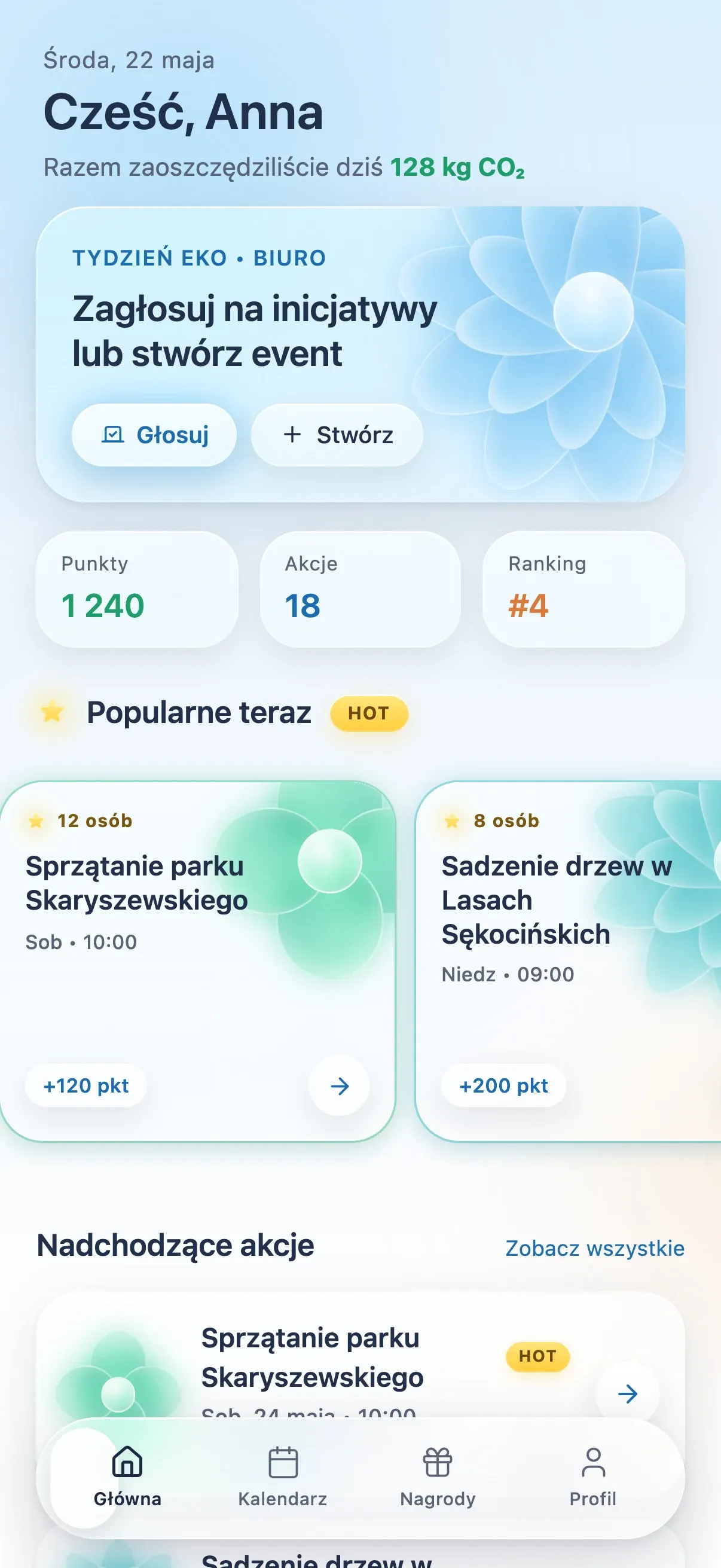
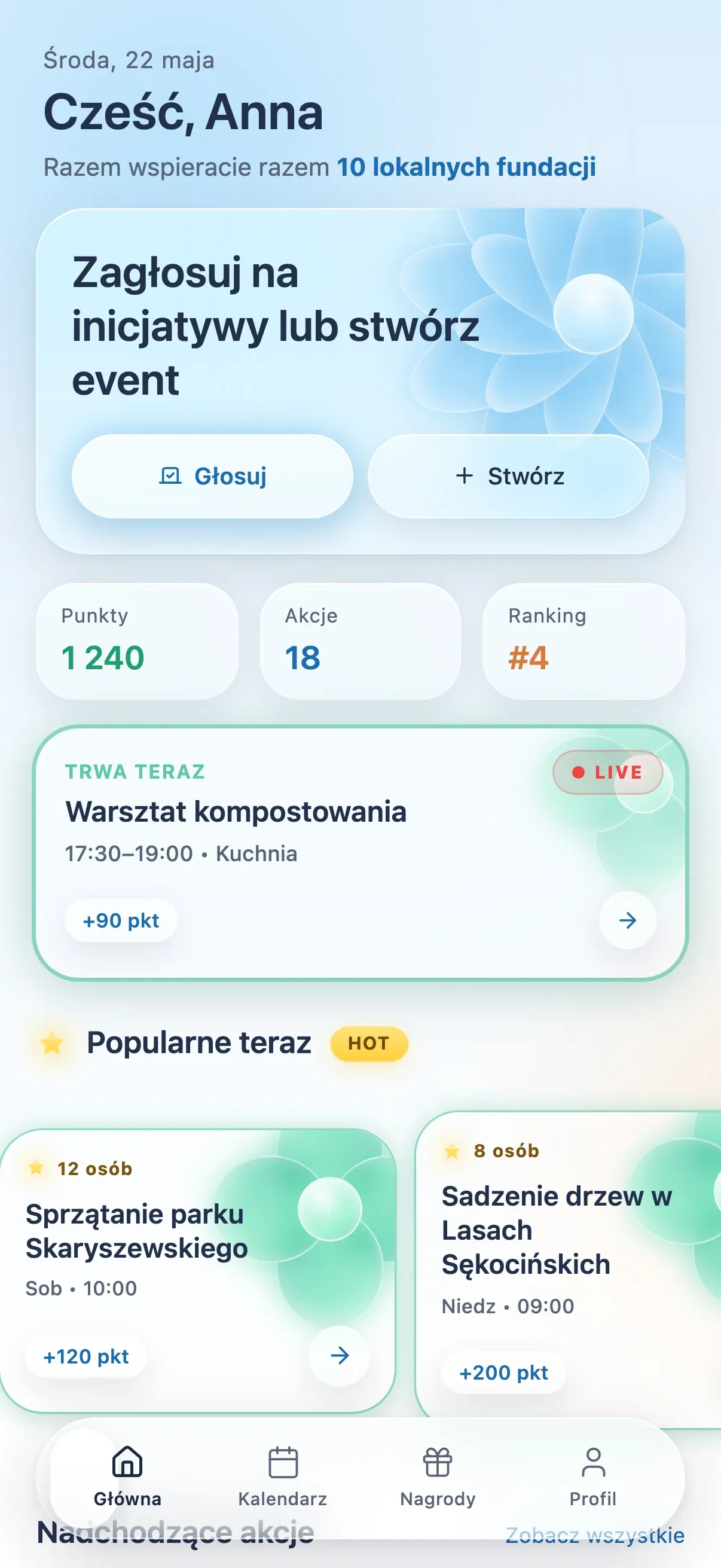
2 of 5 testers couldn’t find where to vote or create an event: the buttons sat small inside an “eco week” banner. They now lead the home card.
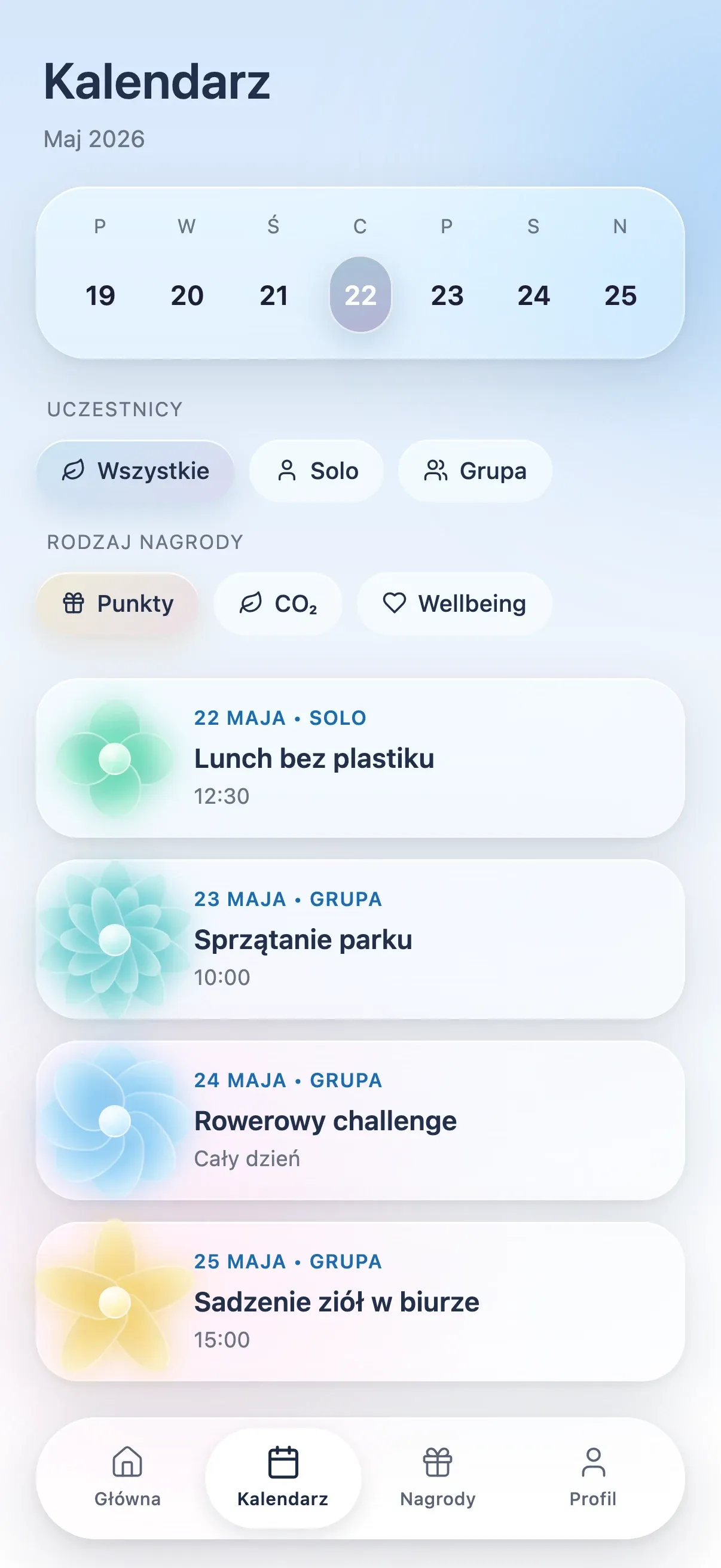
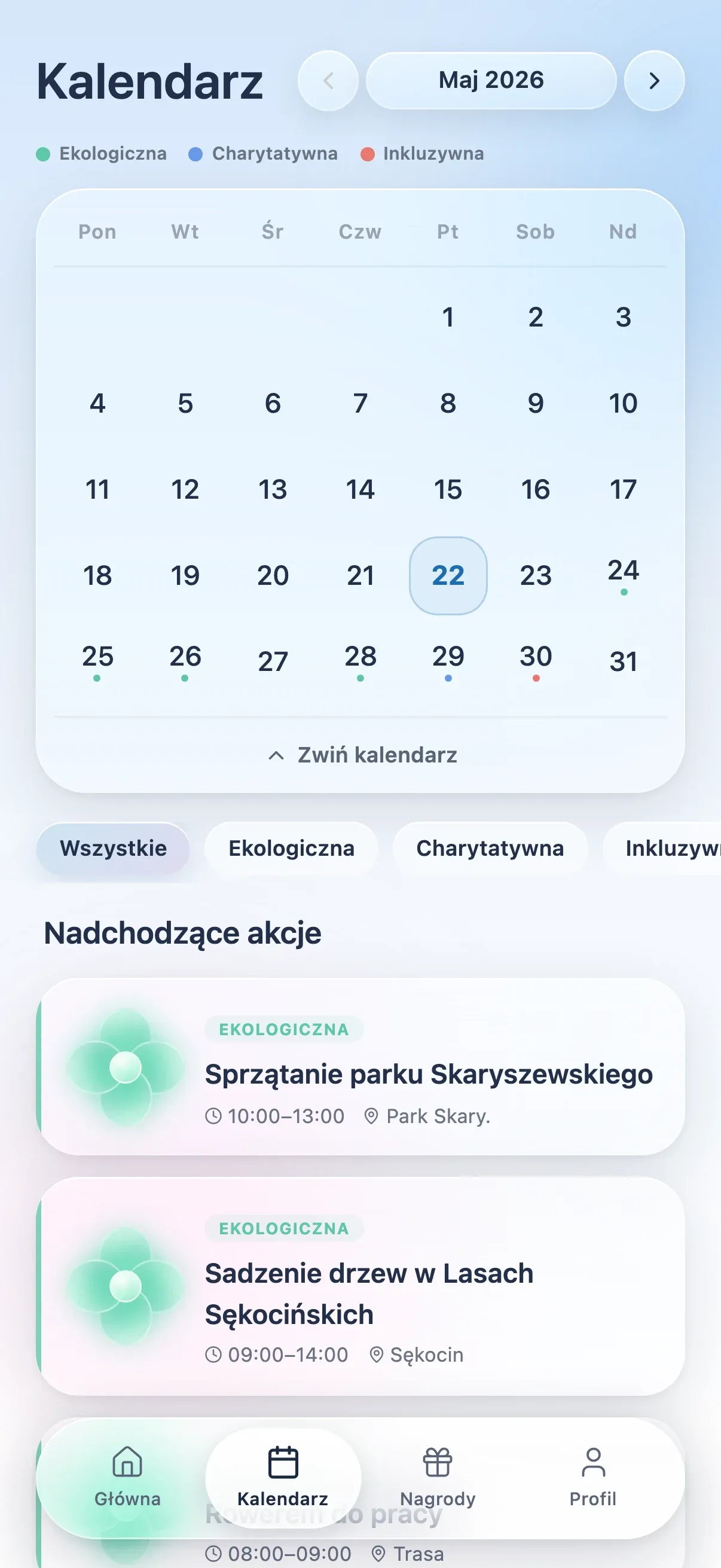
The calendar was a week strip you could only scroll, and its filters, split by activity type, confused most testers. It is now a full month grid with a colour legend. The filters use three clearer facets: character (Ecological, Charitable, Inclusive), place and time commitment.
Testers assumed the choice of nine colours and five flower shapes meant something. It didn’t, so we replaced it with three categories, each with its own flower and colour. The calendar filters use the same three.
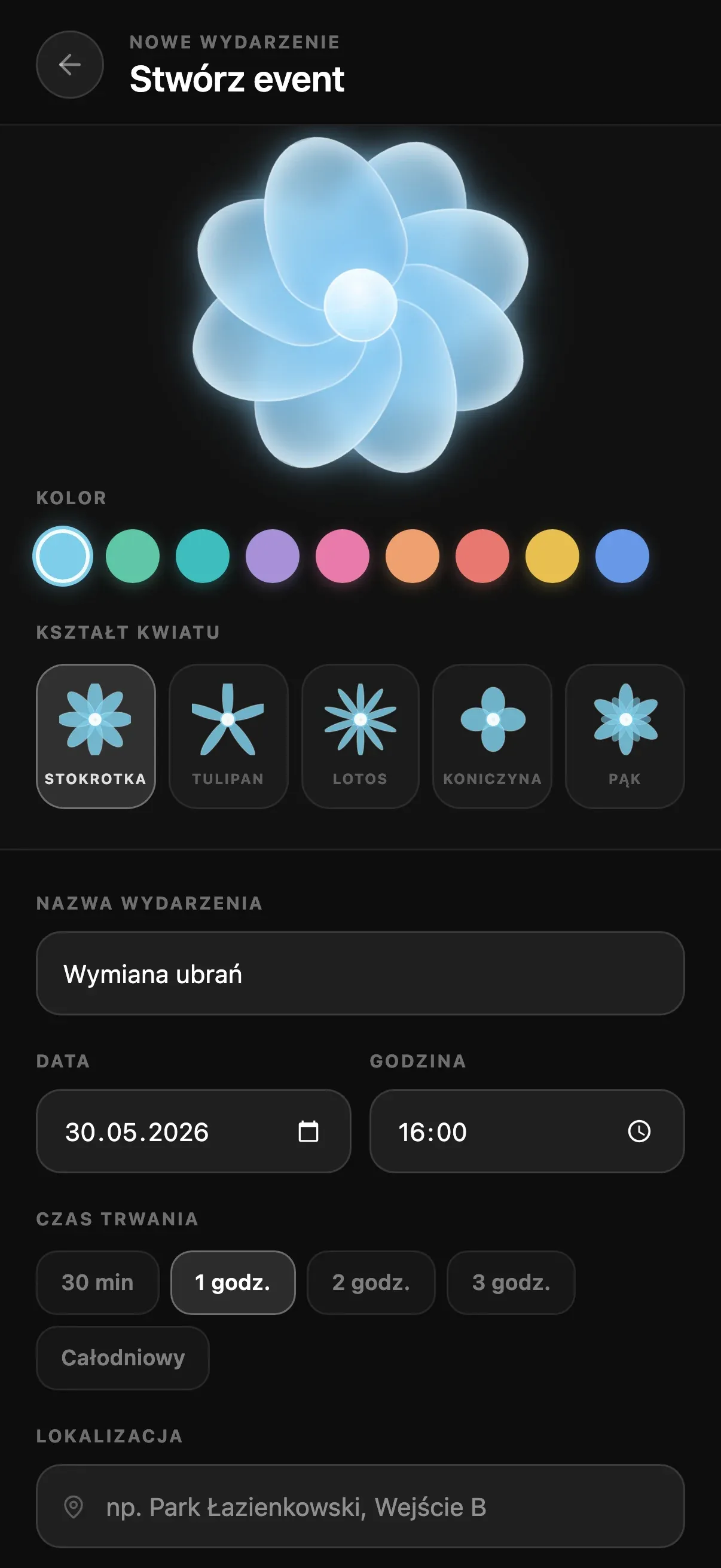
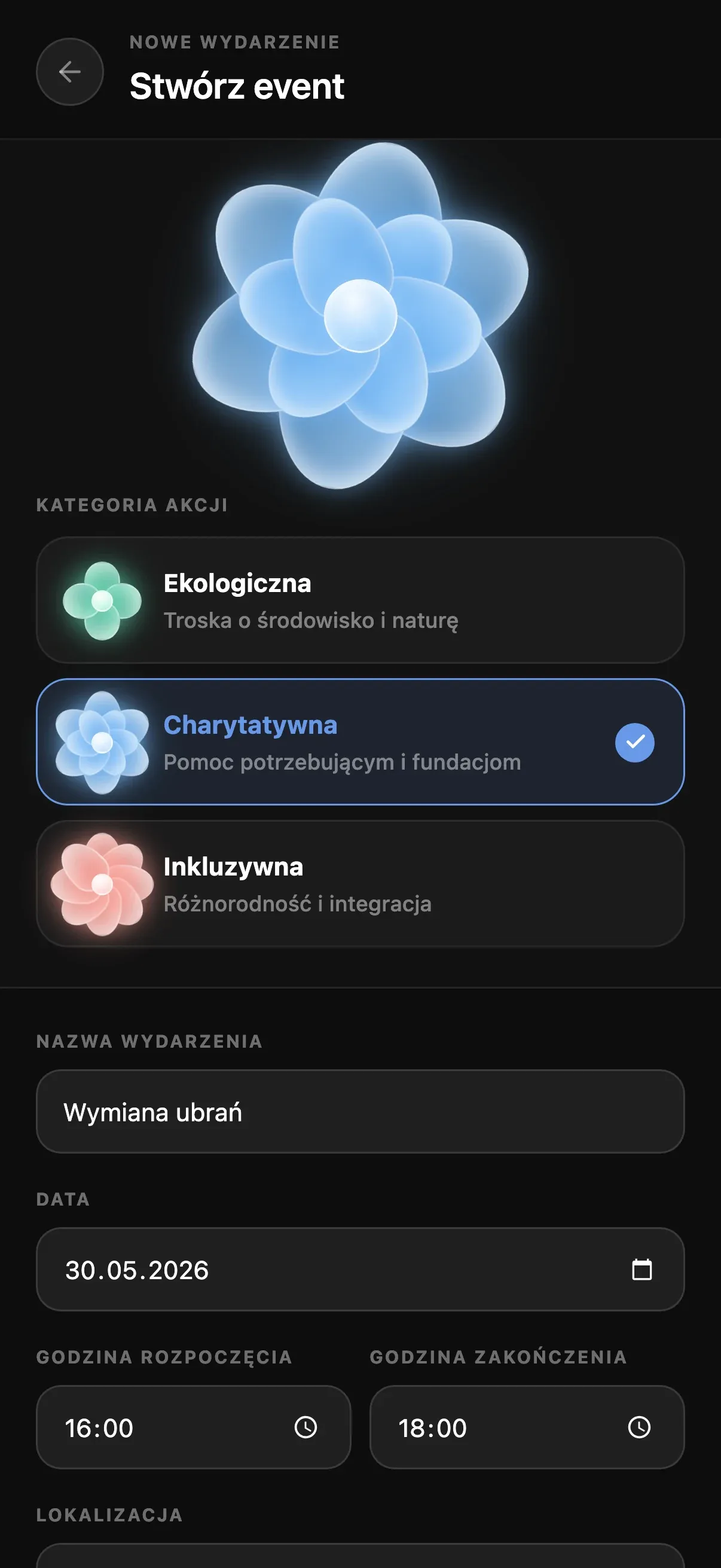
Creating an event, start to finish.
Recorded from the Figma Make prototype.
Employees land on a home feed where they can vote on or create initiatives, track their points, actions and place in the company ranking, see what’s happening right now, and browse a colour-coded calendar of upcoming events by category. Points can be exchanged for rewards, from small daily perks to donated volunteering time.
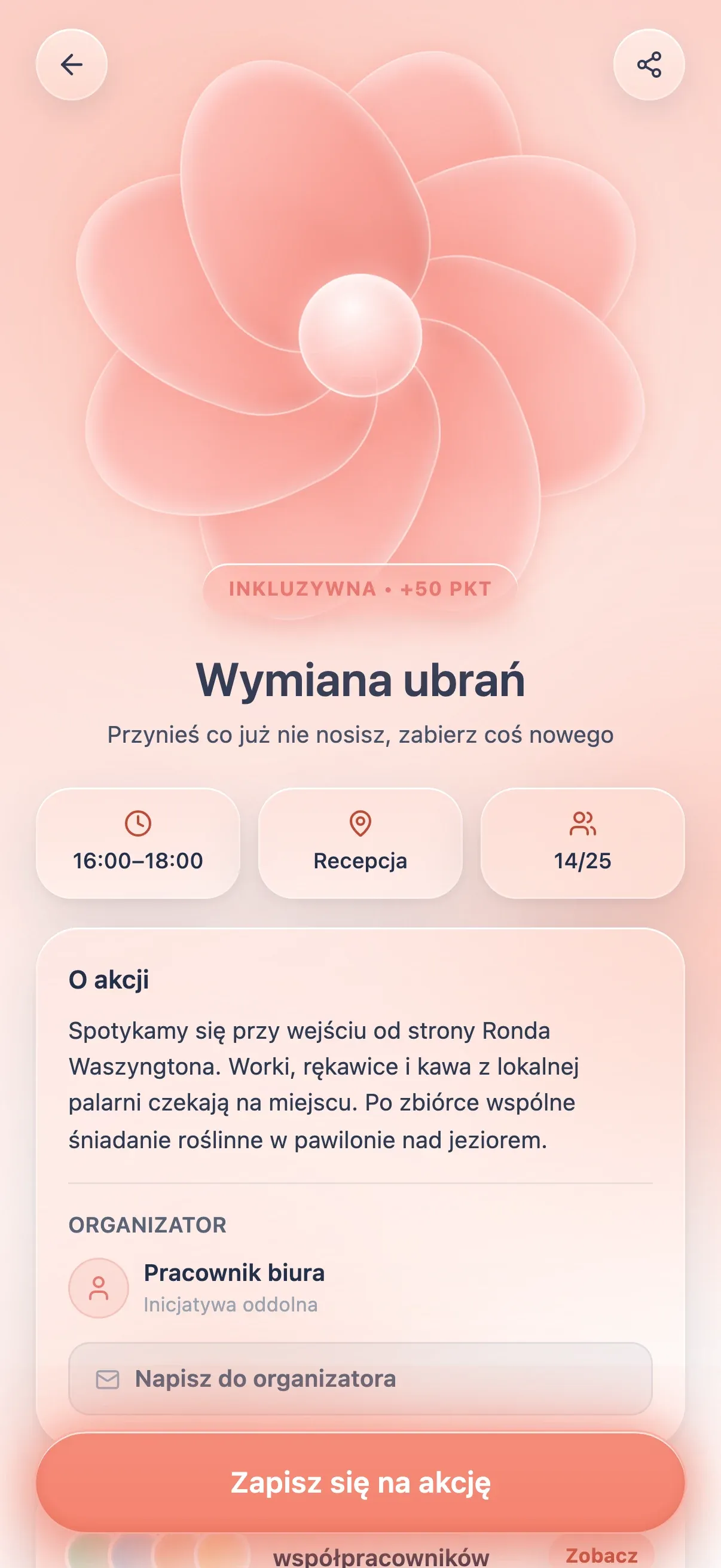
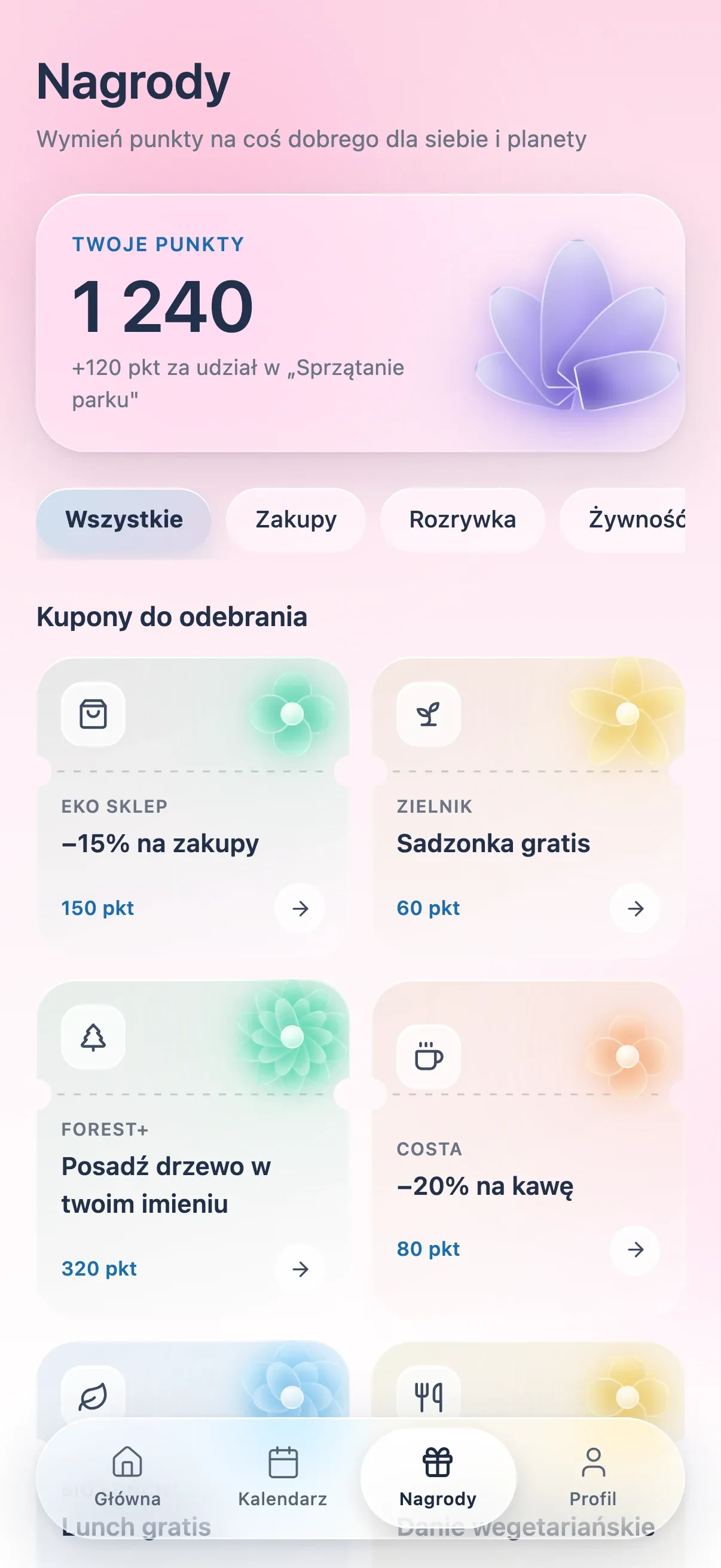
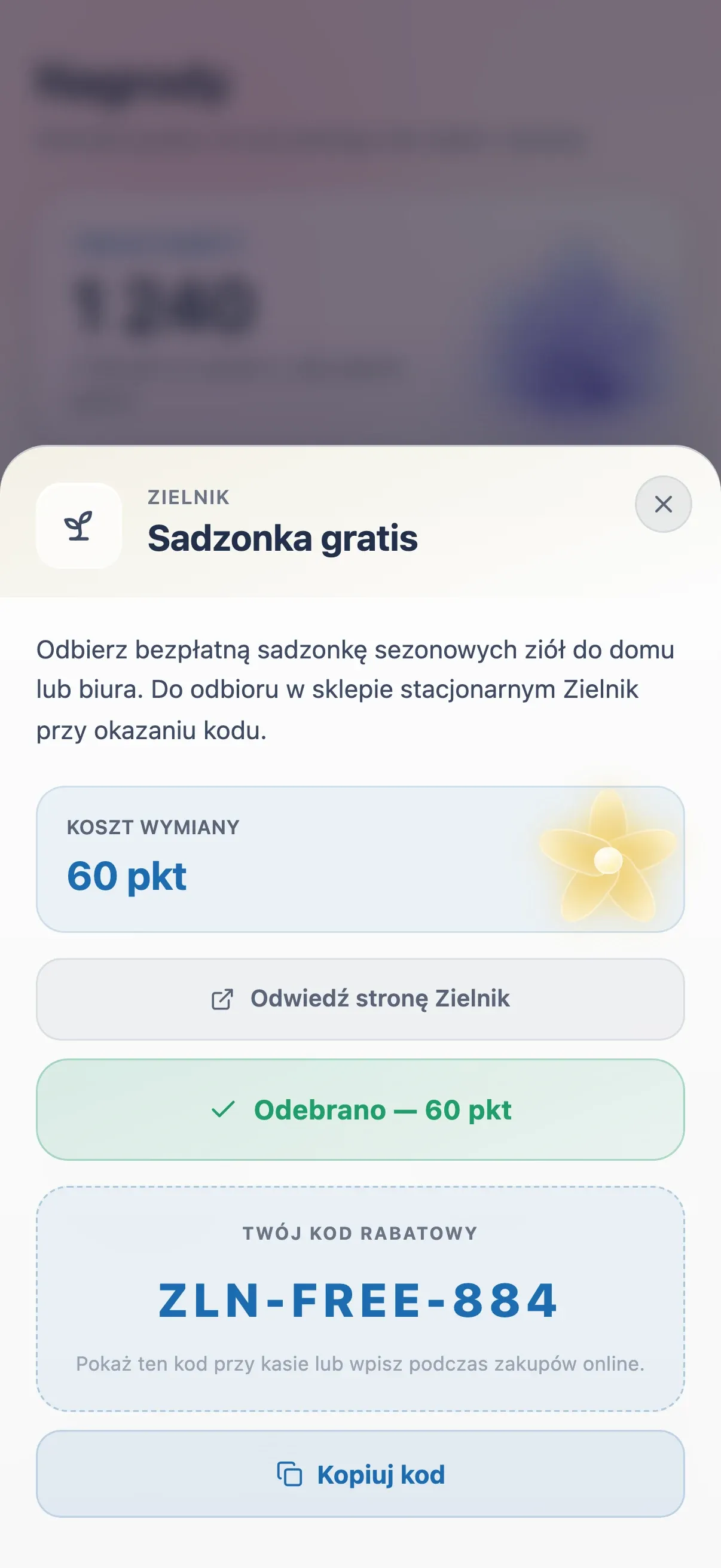
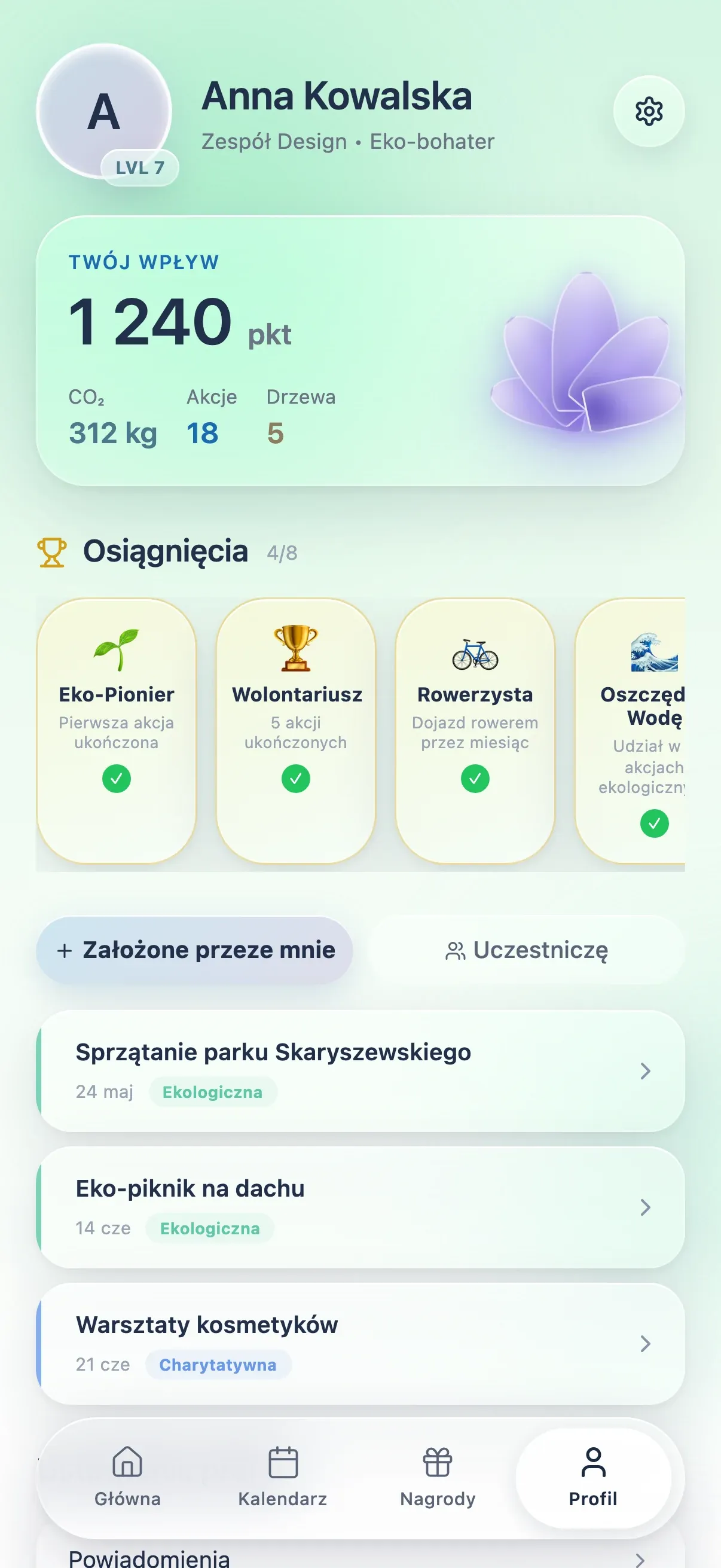
Flora uses soft skeuomorphism: glassy, three-dimensional flowers, frosted cards and buttons that look pressable. Things that resemble physical objects are easier to read at a glance, so a new user can guess what is tappable before learning any rules.
Getting around is simple. Four tabs (Home, Calendar, Rewards and Profile) cover the whole app, and every event opens in the same layout: category and points at the top, then time, place and free spots, then the sign-up button. After one event, you know where to look on all the others.
Colour does most of the work. The app is built around pro-social events, and each type has its own colour, which shows up on the card edge, the tag, the calendar dot and the background of the detail page. After a few visits people stop reading labels and go by the pattern: green means an ecological event. Colour isn’t the only signal, though. Each category also has a differently shaped flower, so the system still works for people with colour-vision deficiencies.
With the navigation and filter fixes in place, testers found the core loop (find an event, join it, get recognised) engaging and mostly intuitive. For the next steps after the MVP, we turned the user stories we hadn’t built yet into a roadmap: